
In the technology field, an operating system (OS) is the foundation upon which virtually all of our day-to-day interactions are built. Not only are we going to discuss what an operating system is, but our idea is also to give you a detailed description and a historical exploration of how the OS evolved with its different generations. We’ll explain why operating systems are so important, look at the different kinds of operating systems, and give you some insight into how they work in this article. We’ve also got you covered if you’re looking for some well-known OS options and need expert advice on which one is best for you! Let’s explore.
Contents
Define Operating System
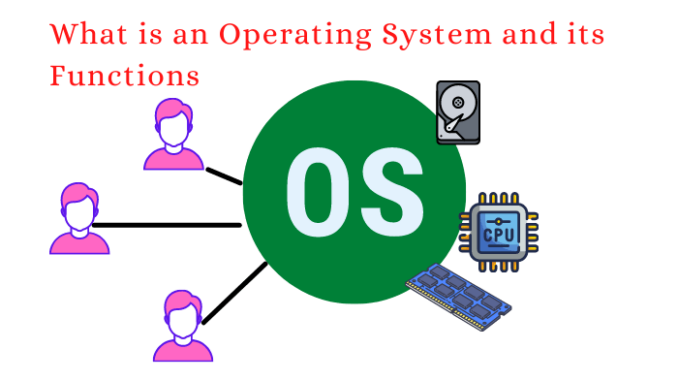
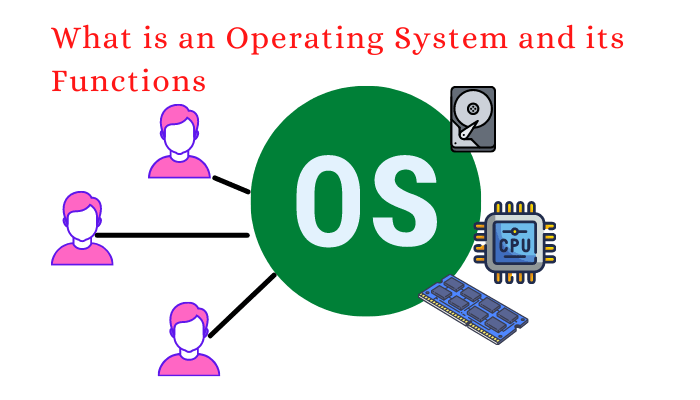
Operating systems are, at their core, complex pieces of software that control a computer’s software and hardware resources. It serves as a crucial link between users and the computer’s hardware. An operating system is a system program that manages all other programs on a computer and loads the computer for the first time with the help of a boot program. Following its initial loading through a boot program, the operating system ensures seamless interaction and resource allocation, thereby enabling the computer to function smoothly.
The Development of Operating Systems There are four generations in the history of operating systems, each representing a significant advancement in the field. Let’s explore each generation in the following ways:
The First Generation (1940s-1950s):
The first generation of operating systems emerged alongside early electronic computers. Computers were primarily used for scientific and military purposes during this time. Operating systems were rudimentary, primarily focusing on managing input and output operations. The Electronic Numerical Integrator and Computer (ENIAC), one of the earliest electronic general-purpose computers, is a notable example of this era. Second Generation (fifties-sixties): The second generation witnessed significant advancements in operating systems with the introduction of batch processing. This concept allowed multiple tasks to be collected and executed in sequence, improving the efficiency of computer utilization. Batch processing was made possible by the development of operating systems like Burroughs MCP (Master Control Program) and IBM OS/360. Additionally, multiprogramming facilitated the concurrent execution of multiple programs, further enhancing efficiency.
Third Generation (1960s-1970s):
With the introduction of time-sharing systems, the third generation entered a pivotal era. Time-sharing made it possible for multiple users to work on a computer at the same time and run their own processes. Bell Labs’ Unix was an important operating system for this generation. The foundation for subsequent operating systems was laid by Unix, which introduced concepts like command-line interfaces, hierarchical file systems, and communication between processes. Fourth Generation: From the 1980s to the Present: Personal computers and Graphical User Interfaces (GUIs) emerged during the fourth generation. Personal computers were widely adopted thanks in large part to operating systems like Apple’s Macintosh and Microsoft’s MS-DOS. Graphical user interfaces replaced command-line interfaces, providing a more user-friendly experience. Multitasking and the execution of graphical applications were made possible by the introduction of windowing systems like Microsoft Windows and Apple’s Mac OS, which also emphasized the introduction of AI and natural language processing capabilities. The primary goal of these technologies was to enhance interface designs for human-computer interaction. What’s the Deal with Operating Systems? The computer’s essential software is the operating system. It manages the computer’s memory, processes, software, and hardware.
Users are also able to interact with the computer without comprehending its technical language thanks to this feature. Operating systems are important for several reasons, and we have highlighted these in the following:
- User Interaction: An operating system’s user-friendly interface makes it simple for people to communicate with the computer. It makes computing accessible to many users by making it possible to perform essential functions like starting programs and organizing files.
- Resource Management: Operating systems efficiently handle a computer’s hardware resources, including the CPU, memory, storage, and peripherals. This optimization ensures that resources are used wisely, preventing waste and improving system performance. It guarantees that multiple programs can run simultaneously without any issues.
- Security: Operating systems have robust security features that shield the computer from malicious software and unauthorized access. Passwords, encryption, and access control are some of the tools they use to keep sensitive data safe and the system running smoothly. Setting up or managing network connections, managing networking protocols, and sharing resources like printers and files on a network are all examples of networking tasks that an operating system can take care of.
- Hardware Abstraction: Operating systems abstract the underlying hardware complexities, enabling software developers to create applications without worrying about specific hardware details. Software development is facilitated and streamlined by this abstraction.
- File Management: Operating systems organize and manage files and directories, making it easier for users to store, retrieve, and organize their data efficiently. This systematic approach simplifies data handling.
- Task Management: OSs handle the execution of processes and multitasking, allowing many programs to run together. This makes it easier for users to switch between applications and increases productivity.
- Memory Management: The primary memory of a computer is managed by an operating system, which provides a variety of memory-management mechanisms.
- Performance Tracking: The operating system’s tools provide facilities for monitoring and optimizing system performance, including identifying bottlenecks, optimizing resources, and analyzing the running system’s metrics and logs.
- Data Protection and Restoration: The operating system arranges mechanisms that help in data backup and recovery in the case of computer system failures, errors in data storage, or disasters.
OS Construction An operating system’s architecture dictates how its components will interact with one another and support hardware and software functionality. OS architecture is very important for the performance of the system as a whole, how resources are used, and security. Each OS architecture has specific advantages arising from its design and structure.